A plastic surgery website redesign can affect SEO when it changes URLs, content, navigation, technical behavior, or the information visitors use to choose the practice. A new visual design is not automatically harmful, but a redesign should be treated as a controlled change rather than a clean slate.
The aim is to improve the experience while preserving useful assets and making necessary changes explicit. No provider can promise zero search fluctuation, but a careful plan can prevent avoidable mistakes and make problems easier to diagnose.
Plastic surgery website redesign begins with what must survive
Inventory the current pages, images, forms, profiles, and integrations before designing replacements. Identify pages with relevant search visibility, useful links, important service information, and meaningful consultation journeys. Do not judge a page's value only by its appearance or total traffic.
Record each URL's purpose and proposed treatment: keep, improve, consolidate, redirect, or retire. A page with little traffic may still be essential for a particular surgeon or location. A high-traffic article may attract an audience unrelated to the practice's priorities.
Preserve factual and clinical review history where possible. A redesign should not replace carefully approved information with generic template copy. The practice-owner SEO guide can help distinguish core service, clinician, and location information from supporting articles.
Practical check. Require an approved content and URL inventory before anyone decides that an old page can disappear.
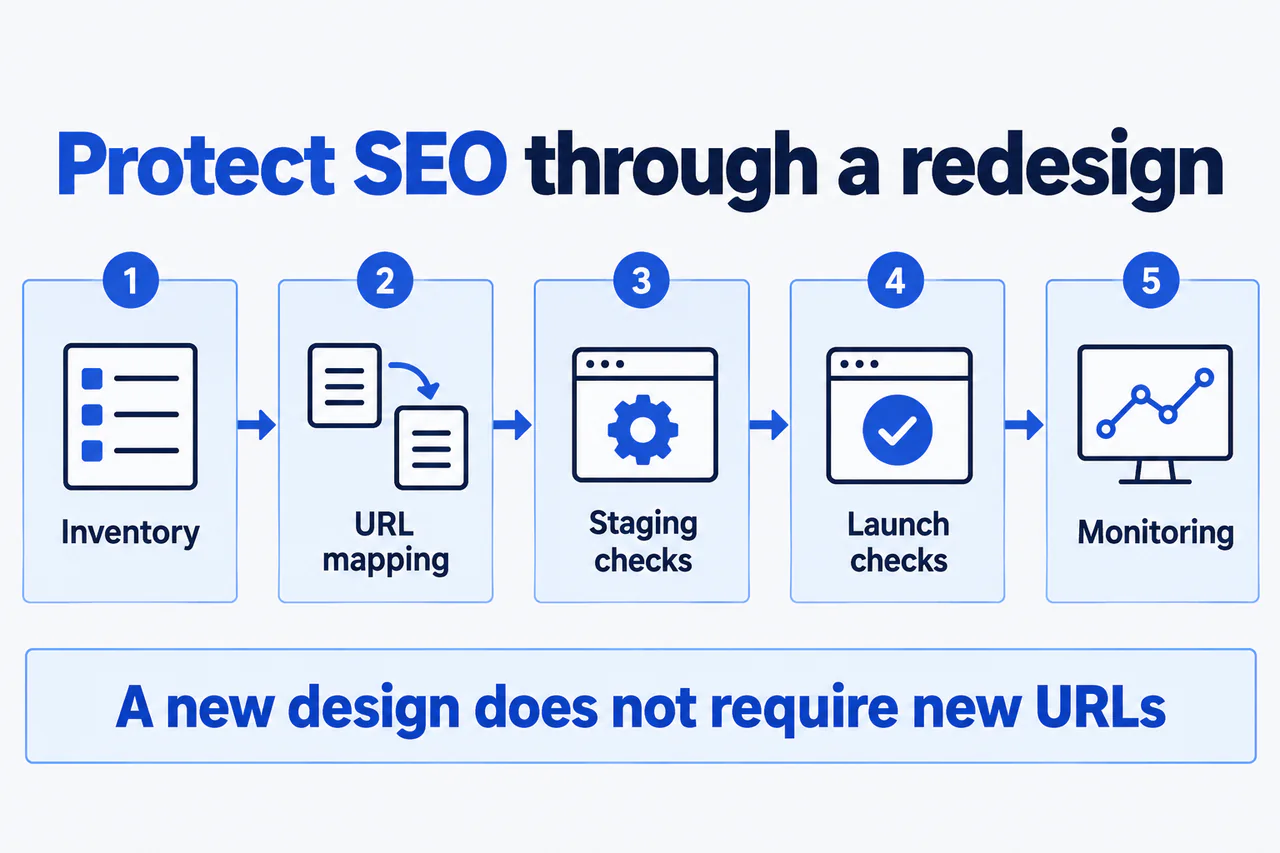
Illustrative redesign checkpoints. Inventory existing assets, map URLs, test staging, verify the launch, and monitor affected pages. A visual redesign does not inherently require URL changes.
View full-size diagram (opens in a new tab)Separate design changes from URL changes
Changing colors, typography, and layout does not require changing every URL. Keep stable URLs when they still make sense. A new platform or navigation structure may introduce changes, but those should follow a reasoned plan rather than a preference for fresh-looking slugs.
When a URL must change, map it to the most relevant replacement. Do not send every removed procedure, biography, and article to the homepage. The destination should satisfy the visitor's original purpose as closely as the new structure allows.
Google's site-move guidance recommends permanent redirects for moved URLs and generally keeping redirects for at least a year. Implementation still needs testing for chains, loops, irrelevant destinations, and missing mappings.
Consider image URLs as well as pages. Galleries may use a separate media system, and a platform change can break images or remove their context even when the page address remains unchanged.
Practical check. Test a sample of old URLs directly, including a procedure, biography, location, article, and gallery case. Do not rely only on navigation through the new homepage.
Preserve meaning while improving content
A redesign is an opportunity to remove repetition and clarify the patient journey, but not to erase information that answers important questions. Compare old and new versions of priority pages for service scope, clinician identity, location details, consultation process, and clinically reviewed explanations.
If pages are consolidated, make sure the new destination genuinely covers the useful material. Combining several pages into a short overview can create a relevance gap even if the redirect technically works.
Review internal links and navigation. A page that remains live but loses its relevant links can become harder to find. The new structure should make relationships clearer, not simply reduce the menu until important services disappear from view.
Give clinical and operational reviewers a change-focused document. Highlight what was removed, rewritten, or added. Asking a surgeon to approve an entirely new site without showing material changes makes the review unnecessarily difficult.
Practical check. For each priority page, write the three questions it must still answer after the redesign. Use those as acceptance criteria.
Test the staging site across technical and patient journeys
Staging should be protected appropriately while the site is under development, but production must have the intended indexing configuration. Check page-level directives, server responses, canonical URLs, sitemap entries, and crawlable links.
Test mobile navigation, image loading, galleries, contact forms, appointment links, and phone routing. Use synthetic data and verify that submissions reach the right person. A visually successful form can still fail at delivery.
Review tracking changes separately from visual design. A new template may introduce tags, session replay, chat, or third-party embeds. The practice's privacy and security reviewers should approve the actual data flows rather than assume that a familiar analytics logo makes the setup acceptable.
| Test area | Evidence required before launch |
|---|---|
| URLs | Approved mapping and tested destinations |
| Content | Clinical and operational approval of material changes |
| Search access | Intended production directives and canonical behavior |
| Contact | Successful end-to-end synthetic inquiries |
| Media | Working images, context, permissions, and accessible controls |
| Measurement | Documented configuration and comparison limitations |
Practical check. Make different owners sign off their own areas. A design approval should not silently count as a clinical or privacy approval.
Plan launch as an observable change
Choose a launch window when the developer, practice contact, and relevant vendors can respond. Record exactly what will change and preserve an appropriate backup or rollback plan. Avoid combining unrelated major changes when there is no practical need.
Immediately after launch, test important old and new URLs, forms, galleries, phone routes, and indexing settings. Confirm that the live environment matches the version reviewed in staging. Check that canonical URLs and internal links use the intended public domain.
Update relevant sitemaps and follow applicable Search Console procedures for the type of move being performed. A domain change is not the same as a design refresh, so do not apply every migration tool indiscriminately.
The SEO process should make launch verification an explicit deliverable. The local SEO context also matters if profile destinations or location information change.
Practical check. Keep a launch log with timestamps and responsible people. It becomes invaluable if several systems show a change afterward.
Monitor affected groups rather than only total traffic
Compare relevant page groups before and after launch, allowing for the changed URL structure. Watch indexing, search clicks and impressions, broken URLs, image behavior, and inquiry delivery. If tracking changed, note where direct comparisons are unreliable.
Separate expected reassessment from actionable errors. A misplaced noindex instruction or broken redirect should be corrected promptly. A modest short-term fluctuation without a technical issue needs contextual analysis rather than an immediate reversal of the entire redesign.
If performance drops, investigate the affected pages, queries, devices, and timing. Google's traffic-drop guidance offers a useful diagnostic structure. The redesign date is a clue, not proof that every subsequent change has one cause.
Practical check. Compare the pages whose URLs changed with those whose URLs stayed stable. That split can help narrow the investigation.
Frequently asked questions
Can a redesign improve SEO?
It can improve content, access, navigation, and usability, but those benefits depend on implementation. A new appearance alone is not a ranking strategy. Define the specific problems the redesign is intended to solve.
Should every old URL redirect to the homepage?
No. Use the most relevant replacement where one exists. An unrelated homepage redirect does not preserve the original page's purpose and can create a poor experience.
Do we need to change our domain?
Only if there is a separate business reason. A redesign can often keep the existing domain and useful URLs. A domain move introduces additional planning and monitoring requirements.
How long should redirects remain?
Google generally recommends retaining migration redirects for at least a year, and longer may be useful for people following old links. The technical team should maintain a deliberate plan rather than removing them as soon as the new site appears indexed.
Can an agency promise no traffic loss?
It can commit to careful implementation and monitoring, but it cannot control every search-system response or market change. Ask for a risk plan and verification evidence instead of an absolute promise.
Preserve the useful parts and test the changes
A good redesign makes the practice easier to understand without losing control of its existing assets. If a redesign is planned, request a prelaunch SEO review while the URL map and staging site can still be adjusted. The best time to find a migration problem is before it reaches the live site.